 Rug tufting field guides
Tools · Design transfer
Projector Setup for Rug Tufting: Distance, Alignment, and Image Flip
A projector can help with lettering, symmetry, or a design you do not want to draw by hand. Check the model’s working distance, square the image to the cloth, and mirror the artwork before tracing from the back.
Last reviewed: October 24, 2026.
Decide whether projection will help
For a simple shape, a sketch or a grid can be enough. Projection is useful when you need to keep lettering, repeated shapes, or an asymmetrical design in proportion. It is an optional transfer method, not a required part of a first setup.
For cloth choices and mounting, see the primary cloth guide. Keep the projector in the later-purchase list in the beginner station planner until your designs call for it.
Listing held
Primary tufting cloth
Product link withheld. The watched marketplace cloth listing and its maker details do not substantiate fiber, weave density, continuous-cut size, or electric tufting-gun suitability across variants.
Check throw distance for the exact projector
Look up the throw ratio for the model you plan to use. Measure from the lens to the cloth, then use that model’s ratio to estimate whether the room has enough space. The projector body is not the measurement point.
Use the projector distance calculator with the ratio from the manufacturer’s specifications or manual. Do not borrow a ratio from a different model.
Before projecting, use the design fit calculator to scale artwork to the measured working area without changing its proportions.
Square the image to the cloth
- Stretch the cloth before tracing so the projected design stays aligned with the working surface.
- Aim the lens at the center of the cloth and keep it square to the frame.
- Project a box around the design. Adjust the projector until the box edges run parallel with the frame.
- If the projected image looks skewed, move and re-aim the projector before tracing.
Flip the design before tracing from the back
Tufting from the back makes the finished front a mirror image of the working side. Mirror the artwork before projecting it when the final piece includes text, numbers, a logo, or another detail with a direction.
Before drawing, check that the text appears backward on the side where you will work. The rug’s front will then read in the intended direction.
One compact projector option
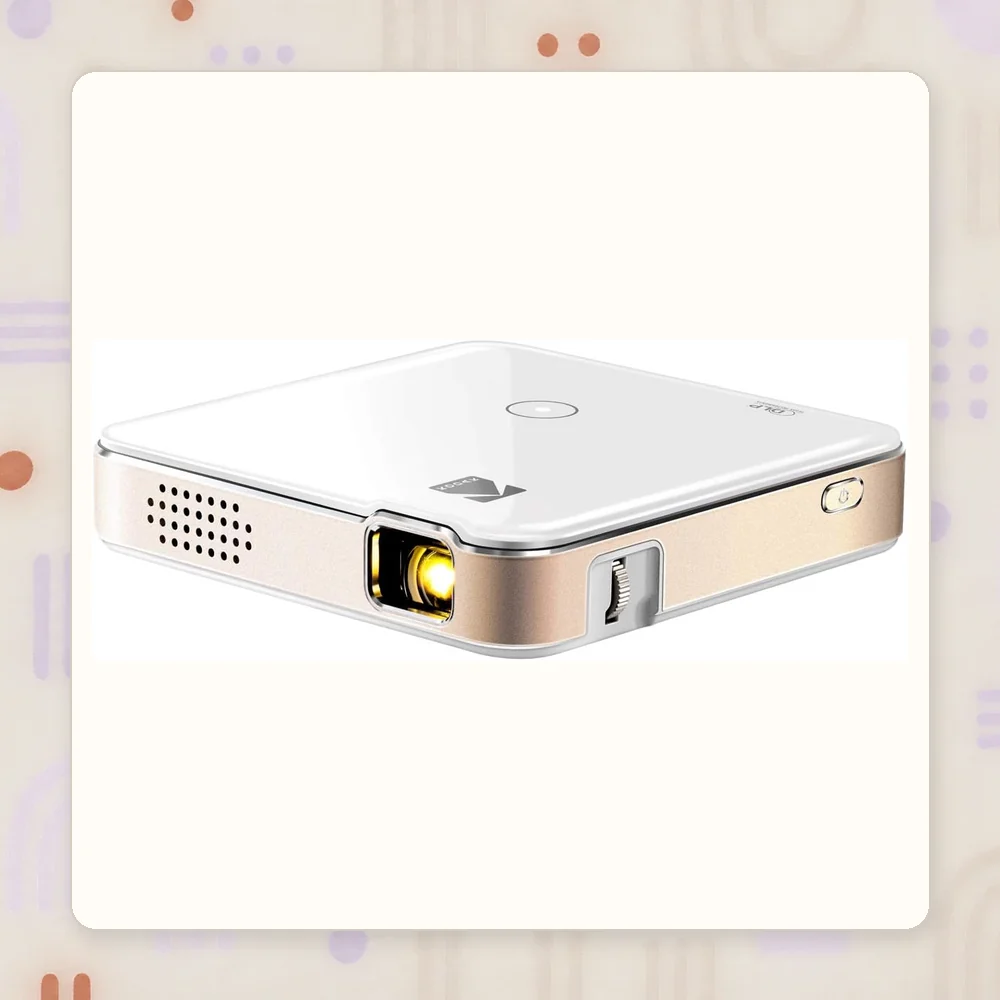
The KODAK Luma 150 is one portable model to consider if its native image detail suits your design. KODAK lists a 1.6:1 throw ratio and native resolution of 640 × 360. Its support page says higher-resolution input is scaled to that native resolution.
At that resolution, fine detail may be hard to trace. Check the room distance and projected image before deciding whether it will work for your artwork.
See KODAK’s Luma 150 specifications and official support page.
Common questions
What happens if I forget to flip my design before tracing?
The design on the rug’s front will read as a mirror image of the pattern on the back. Text, numbers, and other asymmetrical details can face the wrong way.
Should I project onto the front or back of the tufting frame?
Project onto the stretched cloth from the side where you will work with the gun. If you trace from the back, mirror the design first so the finished front reads in the intended direction.
Why does my projected circle look distorted?
The projector may be off-center or angled relative to the cloth. Aim it squarely at the center of the frame, align the image edges, and adjust the projector position before tracing.